CSS Selectors Masterclass
Specificity wars, combinators, pseudo-classes — all visualized with highlighted DOM nodes.
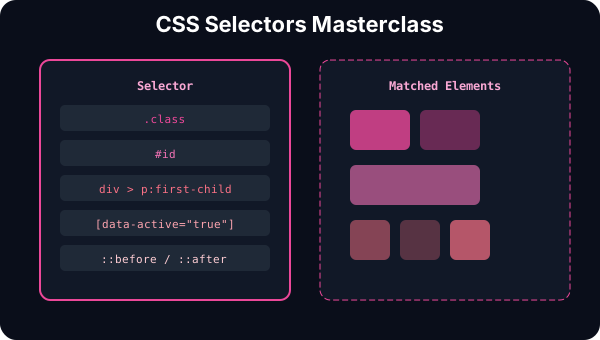
What Are CSS Selectors?
CSS selectors are patterns that match elements in your HTML document. They tell the browser which elements to apply styles to. Understanding selectors deeply is essential for writing maintainable, efficient CSS and avoiding those frustrating moments when your styles just won't apply.
Every CSS rule has two parts: a selector (what to style) and a declaration block(how to style it). The selector is the most critical part — if you can't target the right element, your styles won't matter.
Why Selectors Matter
Poor selector choices lead to specificity wars, unmaintainable code, and performance issues. Good selectors make your CSS predictable, easy to debug, and performant. Modern CSS architectures like BEM, CSS Modules, and styled-components all exist because selector management is hard.
In this tutorial, you'll learn every selector type, how specificity works, common patterns, and best practices. By the end, you'll write selectors that are both powerful and maintainable.
What You'll Learn
- Selector Types — type, class, ID, universal, attribute selectors
- Specificity — how CSS decides which styles win (the cascade)
- Combinators — descendant, child, sibling relationships
- Pseudo-Classes — state-based selectors like :hover and :focus
- Pseudo-Elements — styling specific parts like ::before and ::after
- Best Practices — avoid specificity wars, write maintainable selectors
Selector Types
CSS provides several selector types to target elements in different ways.
CSS
div {
  color: blue;
}
Selector: div
Selects all elements of a given type — the most basic selector. Useful for global styling of element types.
HTML
<div>This div is blue</div>
<p>This paragraph is not</p>
<div>This div is also blue</div>
Key Takeaways
- • Type selectors are the most basic — target all elements of a type
- • Class selectors are reusable — use them for styling multiple elements
- • ID selectors should be unique per page — use sparingly, prefer classes
- • Universal selector affects everything — useful for resets but high specificity
- • Attribute selectors target elements by their HTML attributes
What happens when multiple selectors target the same element? That's where specificity comes in. CSS uses a scoring system to decide which styles win. Next, explore the Specificity Calculator to see this in action.
Next Steps
Now that you understand selectors, explore related concepts:
- CSS Box Model — how padding, border, and margin work together
- CSS Flexbox — layout with one-dimensional flex containers
- CSS Grid — two-dimensional layout systems
- CSS Animations — bringing your selectors to life with motion